
Accurate color reproduction is more important than most people think — whether you’re a photographer chasing perfect skin tones, a filmmaker working on color grading, or a developer building machine vision applications. Yet, achieving true-to-life color is surprisingly tricky. Changes in lighting, differences in sensor quality, and quirks in the image processing pipeline can all introduce color shifts — especially with budget or consumer-grade cameras.
One effective way to combat this is through color calibration.
In this post, I’ll walk you through a simple and practical method to calibrate a standard RGB camera using a Macbeth ColorChecker Chart — a tool that’s cheap and widely used in color calibration.
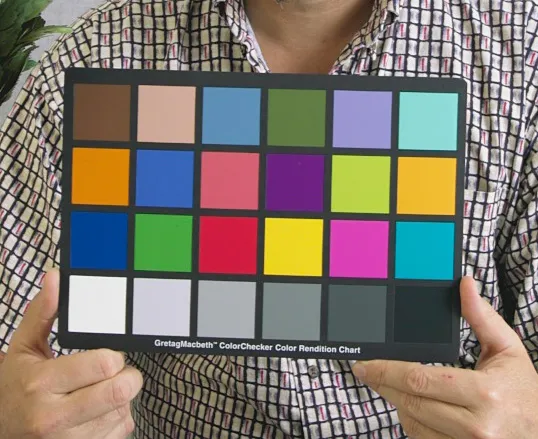
Before we dive into the how-to, let’s talk about why color calibration is so important — and it all comes down to a concept called color constancy.
Color constancy refers to a camera’s ability to reproduce consistent colors across different lighting conditions and sensor profiles. Whether you’re shooting in direct sunlight, under fluorescent office lighting, or in the soft glow of a sunset, color constancy ensures that a red apple still looks red — not orange, not pink, just red.
Establishing good color constancy helps with:
Without it, colors can look off, automated vision systems might misinterpret objects, and visual media loses fidelity — not ideal in applications where precision matters.
There are generally two ways to approach color calibration: hardware-based and software-based.
Hardware Calibration - This involves upgrading or fine-tuning the physical components of your camera setup — sensors, lenses, filters, and so on — to improve how colors are captured at the source.
Software Calibration - Here, we digitally correct the captured image, adjusting colors to more closely match real-world values. This method is more accessible and often sufficient, especially for standard RGB cameras.
For this guide, we’ll focus on Software-based Calibration — a cost-effective way to improve color fidelity without touching the hardware.